Everything a flight school runs on, in one system.
Each part reads and writes the same records. A check-in updates the customer’s balance, the aircraft’s hours, the pilot’s logbook and the student’s training record at once.
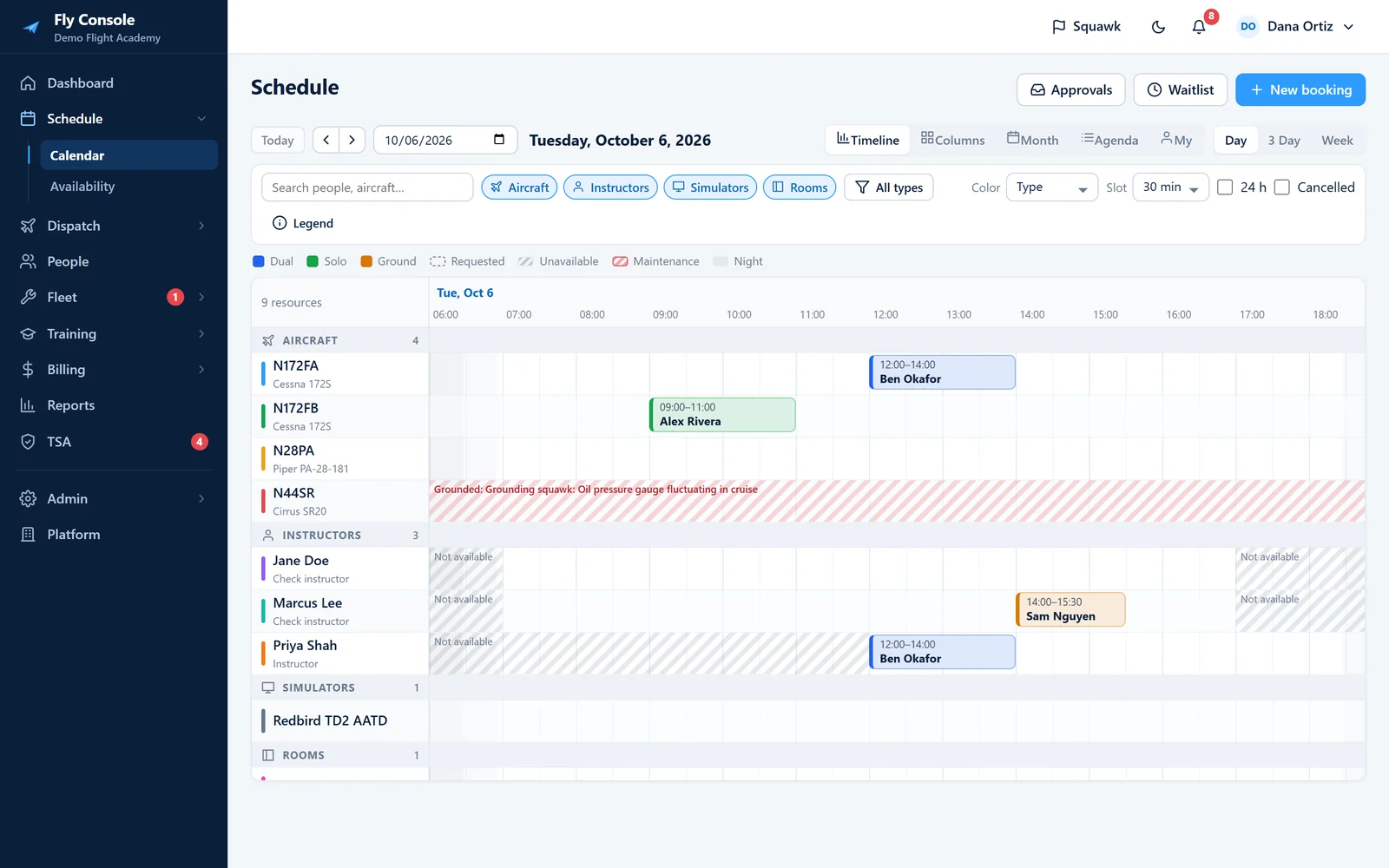
Book aircraft, instructors, sims and rooms.
Timeline, column, month and agenda views, plus a personal “my schedule” for every user. Drag to create, move or resize a booking.
- Night shading from each base’s sunrise and sunset
- Instructor availability and time off
- Waitlist with claim links when a slot opens
- Booking approvals, cancellation and no-show fees
Catch the problem when it’s booked, not on the ramp.
Each rule is set per school to off, warn or block. When someone overrides a warning, the reason is logged.
- Double booking and instructor 8 hours in 24 (61.195)
- Medical, flight review, solo endorsement, checkout and insurance
- Aircraft grounded, maintenance due and 100-hour
- Custom currencies, account balance, TSA clearance, stage gating and booking window
Off
The rule is not checked.
Warn
The booking saves with a warning and the override reason is recorded.
Block
The booking can’t be made until the problem is fixed, such as a grounded aircraft or an expired medical.
From check-out to billed in one flow.
The check-out wizard covers the aircraft, weather, risk and loading. At check-in the pilot enters meters, fuel, landings and squawks, and the flight is billed automatically.
- METAR and TAF from aviationweather.gov
- FRAT risk assessment and weight & balance with envelope chart
- Instructor approval required for solo flights
- Live board with overdue alerts, logbook and 61.57 currency
- Check outSquawks and maintenance reviewed, weather pulled, FRAT scored, W&B plotted
- FlyThe aircraft shows on the live board with its ETA; overdue flights are flagged
- Check inHobbs, Tach, fuel, landings and squawks entered
- DoneAccount charged, aircraft hours updated, logbook and training record filled in
Syllabus, grades and signatures in one record.
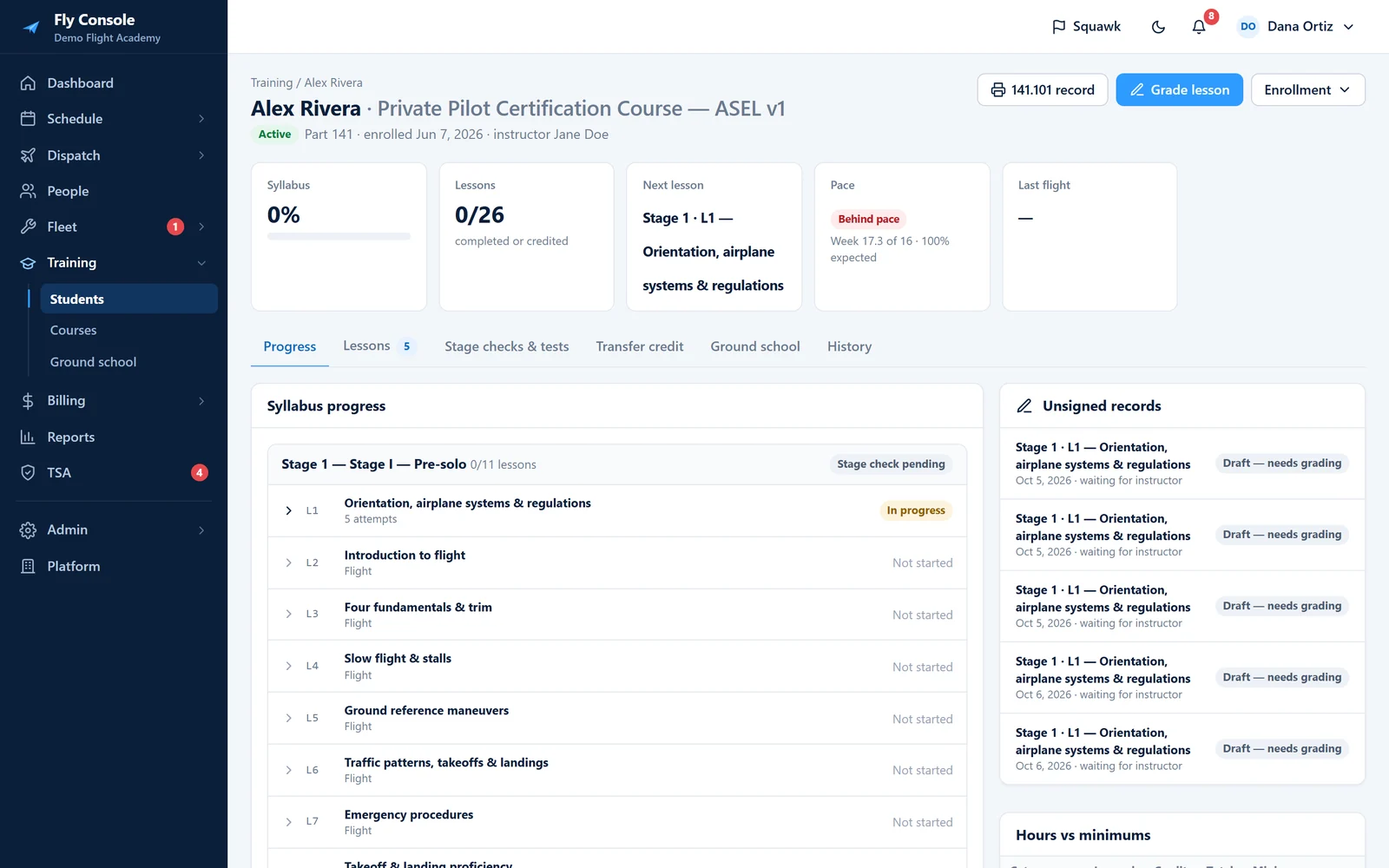
Enroll a student in a course and every lesson, stage check and ground session is tracked against it. Students see all of their grades.
- Syllabus builder with versioning
- Graded lesson items with drawn or PIN e-signatures
- Locked records with amendments, stage checks and stage gating
- Ground school attendance, tests and a printable 141.101 record
Hours and dates tracked from every flight.
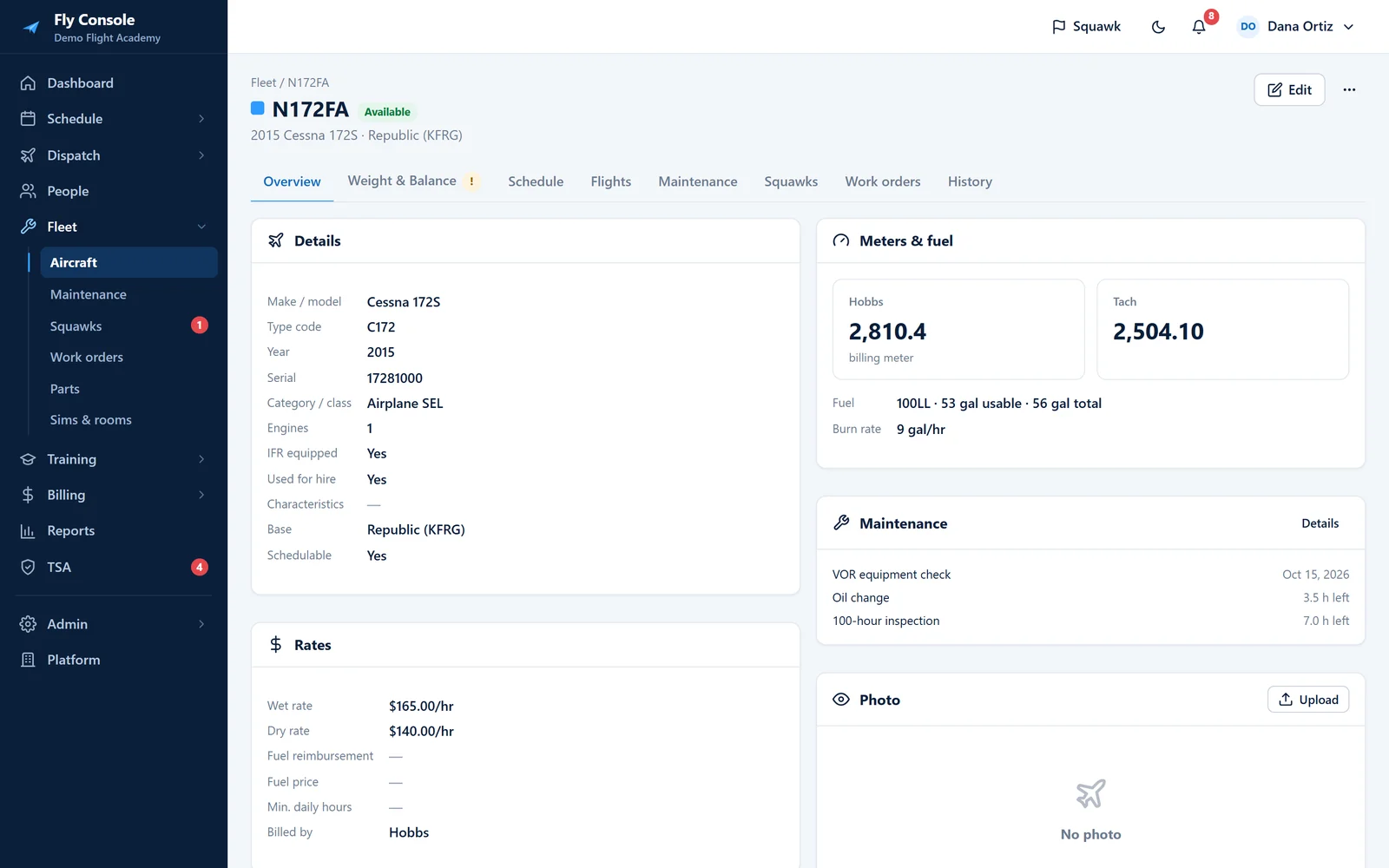
Items come due by hours or calendar, whichever is first, using the times recorded at check-in.
- Templates for 100-hour, annual, ELT, transponder, pitot-static, VOR, registration and oil
- 100-hour overfly deduction, ADs, TBO and life-limited parts
- Grounding squawks block the aircraft; only an A&P clears them
- Work orders with labor, parts inventory and signed logbook entries
Every account, every balance, always current.
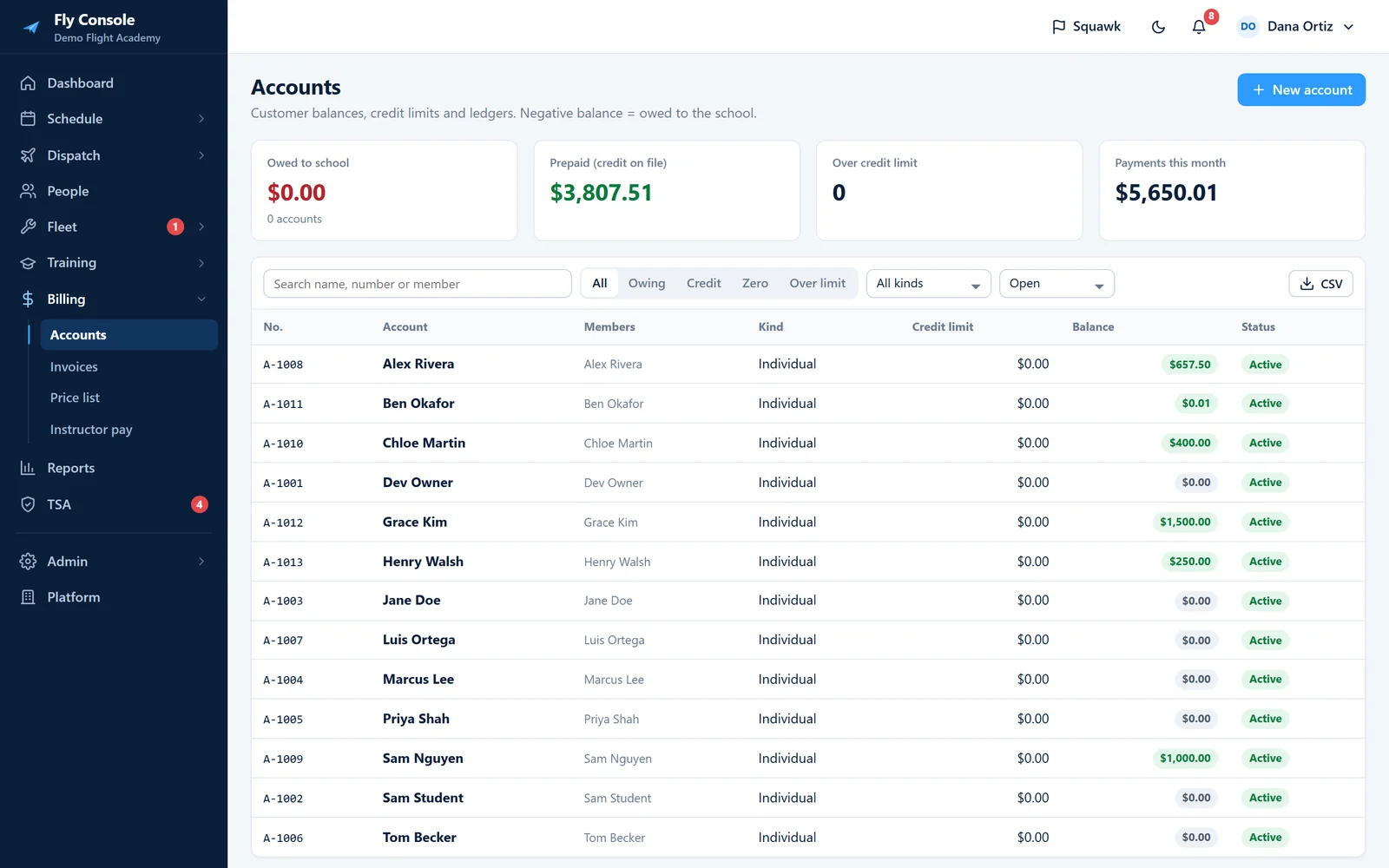
Each customer has a running balance. Flights, packages and fees post to it, and payments come off it.
- Credit limits, family and corporate accounts
- Hobbs or Tach per aircraft, wet or dry rates, instructor rates
- Packages, invoices and printable statements
- Online card payments through Stripe, plus manual payments and instructor pay
Know who is cleared before they fly.
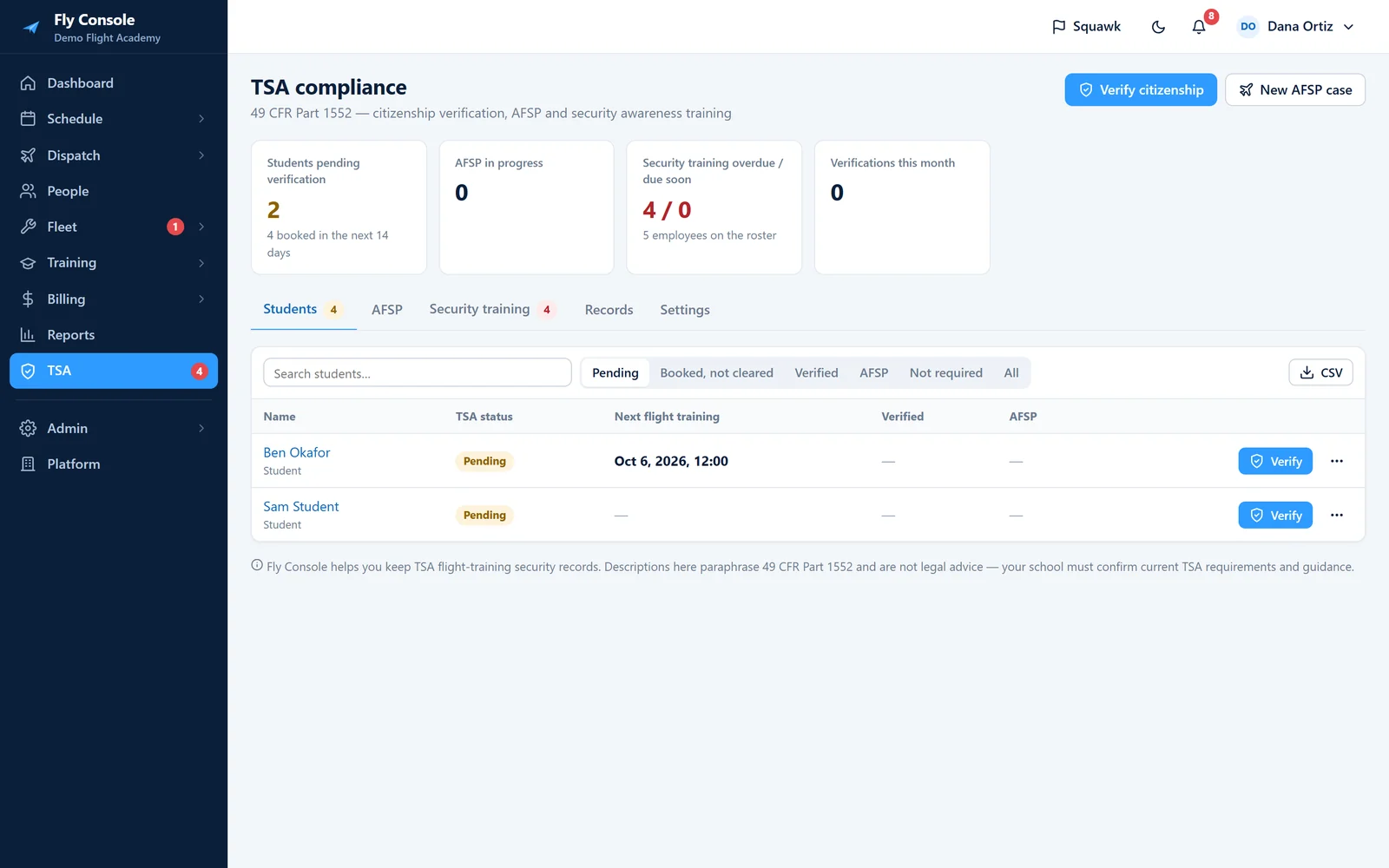
Record citizenship verification once, and the scheduling rule can block flight training for anyone who isn’t cleared.
- Citizenship verification with endorsement and signature
- AFSP cases for non-U.S. students
- Security awareness training roster with reminders
- Five-year retention locks; access to sensitive data is logged
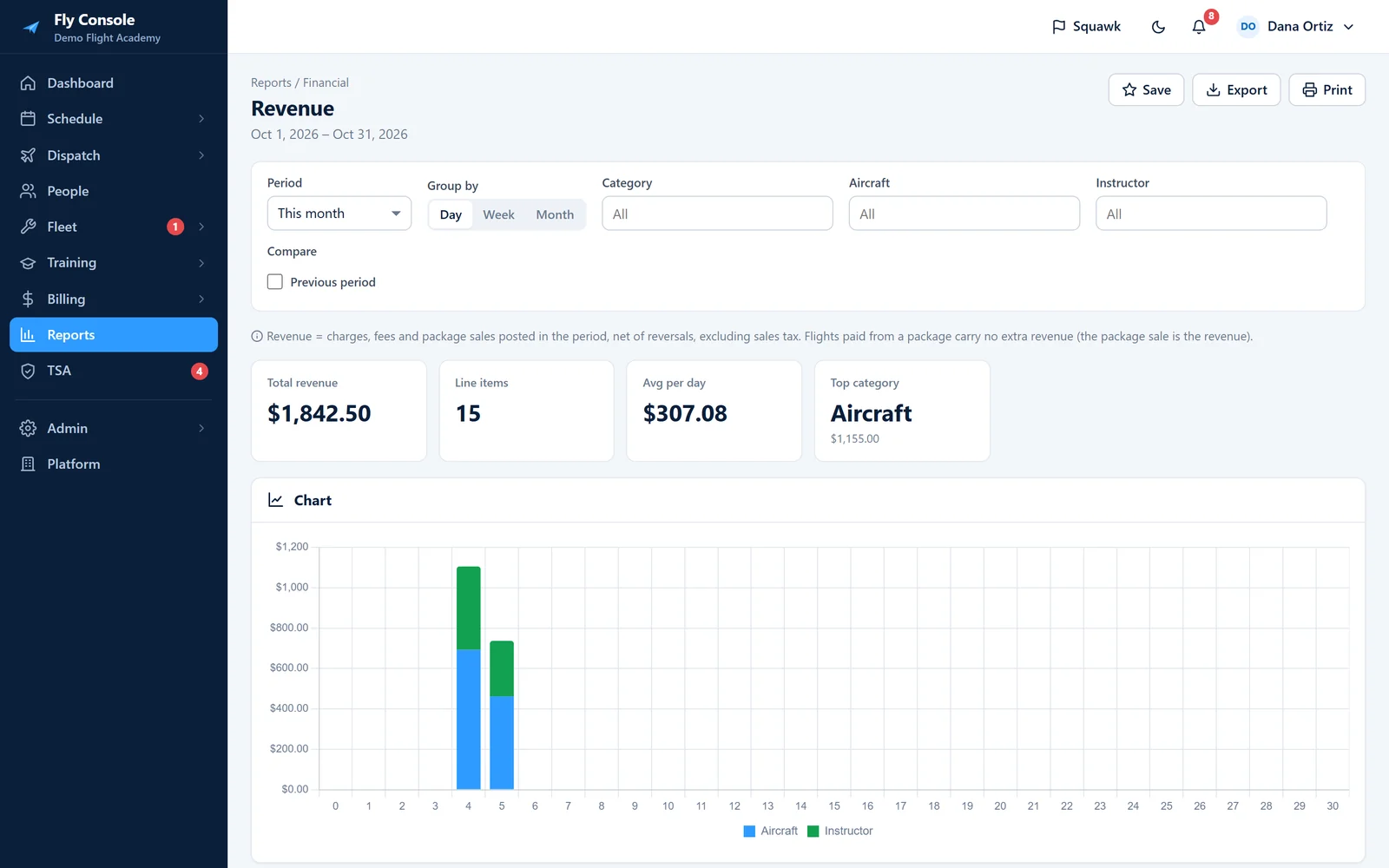
27 reports, each with a chart.
Every report has a chart, a summary and the detail rows behind it.
- Revenue, payments, AR aging and prepaid balances
- Aircraft utilization and profitability, instructor productivity
- Student progress, stage checks, hours vs. minimums, unsigned records
- CSV, print or PDF; pin to the dashboard or email on a schedule
Switch without retyping.
The import wizard reads CSV and Excel for 17 kinds of data: people, accounts and opening balances, aircraft and W&B, maintenance items, ADs, squawks, parts, price lists, packages, future reservations, flight history, training history, availability, certificates and TSA verifications.
- Map columns once and save the mapping
- Dry run before anything is written; roll back an import
- Export all of your data as a ZIP at any time
The right view for every person.
Ten default roles you can edit, plus per-person permission overrides. A student sees about five menu items; an owner sees the whole school.
- One login across multiple schools
- Two-factor sign-in required for admin roles
- Append-only audit log of every change
- Each school’s data is kept separate
Put your school on Fly Console.
14-day free trial with every feature. No card required to start.